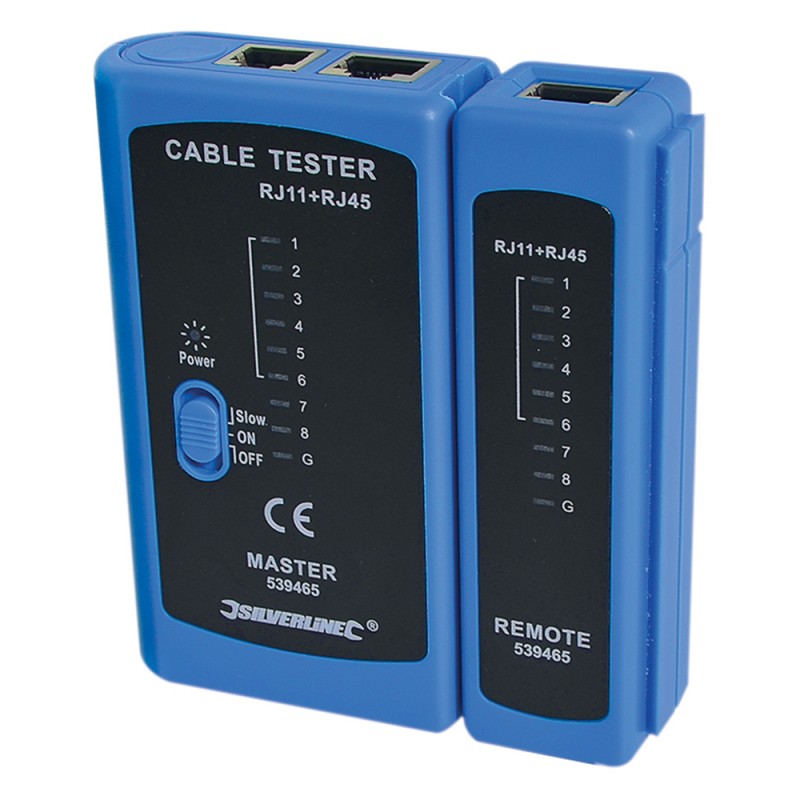
Silverline Remote RJ11 RJ12 RJ45 LAN Cable Tester 539465
Barcode: 5055058179098
MPN: 539465
Overview:
The Silverline Remote LAN Cable Tester RJ11, RJ12, RJ45, 539465 is a compact hand-held tester designed to help you check and diagnose common faults in network and telecom cables quickly. Suitable for RJ11, RJ12 and RJ45 connections, it helps identify problems such as incorrect wiring, short circuits and open circuits, making it ideal for installs, repairs and troubleshooting. Supplied with both a master and remote unit, it allows convenient end-to-end testing of cables already routed through walls, floors or trunking. With an easy-to-read LED display and standard or slow-speed scan modes, it’s a practical tool for IT support, network technicians and anyone working with Ethernet or phone leads. Powered by a 9V-PP3 Battery, (battery not included) for portable use.
Key Features
Remote LAN cable tester for quick cable fault checking
Compatible with RJ11, RJ12 and RJ45 connections
Detects common issues including mis-wires, short circuits and open circuits
LED indicators for clear, simple results
Standard and slow-speed display/scan modes
Master and remote units included for end-to-end cable testing
Battery powered for portable use (9V PP3 battery required, not included)
Useful for network installs, repairs and troubleshooting
Specifications
Brand: Silverline
Product Type: Remote LAN Cable Tester
MPN: 539465
Barcode: 5055058179098
Connector Types Tested: RJ11 / RJ12 / RJ45
Display: LED indicators
Modes: Standard and slow-speed
Units Included: Master unit + remote unit
Power: 9V (PP3) battery (not included)
Applications
Testing Ethernet (RJ45) patch leads and installed cable runs
Checking telephone and data cables using RJ11/RJ12 plugs
Diagnosing wiring faults during network installs
Troubleshooting connectivity issues in offices and homes
Verifying cable continuity after repairs or re-terminations
How to Use
Fit a 9V (PP3) battery in the master unit (battery not included).
Connect one end of the cable to the master unit and the other end to the remote unit.
Select standard or slow mode depending on how you want the LEDs to cycle.
Read the LED sequence to identify correct wiring or locate faults.
Repair or re-terminate the cable as required and retest to confirm.
Remote LAN Cable Tester 539465 – Key FAQs
What cable types can this tester check?
It’s designed to test RJ11, RJ12 and RJ45 cables, making it suitable for many telephone, data and Ethernet leads.
What faults can it detect?
It helps identify common issues such as incorrect pin wiring, short circuits and open circuits, supporting faster troubleshooting.
Why does it include a remote unit?
The remote unit lets you test cables end-to-end when the cable is already installed, such as through walls, ceilings or trunking.
Does it have different test speeds?
Yes, it includes standard and slow-speed display modes to make reading results easier in different situations.
Is the display easy to read?
Yes, it uses LED indicators with a simple sequence, making it suitable for quick checks in the field.
What battery does it need?
It requires a 9V (PP3) battery, which is not included.
Is it suitable for professional network work?
Yes, it’s a useful tool for installers and IT support for continuity and basic wiring checks, especially for routine fault finding.
| Data |
| Reference Code | 539465 |
| Type | Remote LAN Network and Cable Tester |
| Compatibility | RJ11, RJ12 & RJ45 cables |
| Contents | 1x LAN tester master and remote
1x Safety Sheet
1x DOC |
| Requires | 1 x 9V PP3 battery not supplied |
| Colour | Blue and Black |
| Name | Link |
|---|
| Silverline Remote LAN Network and Cable Tester 539465 Instructions |
Download Attachment |